
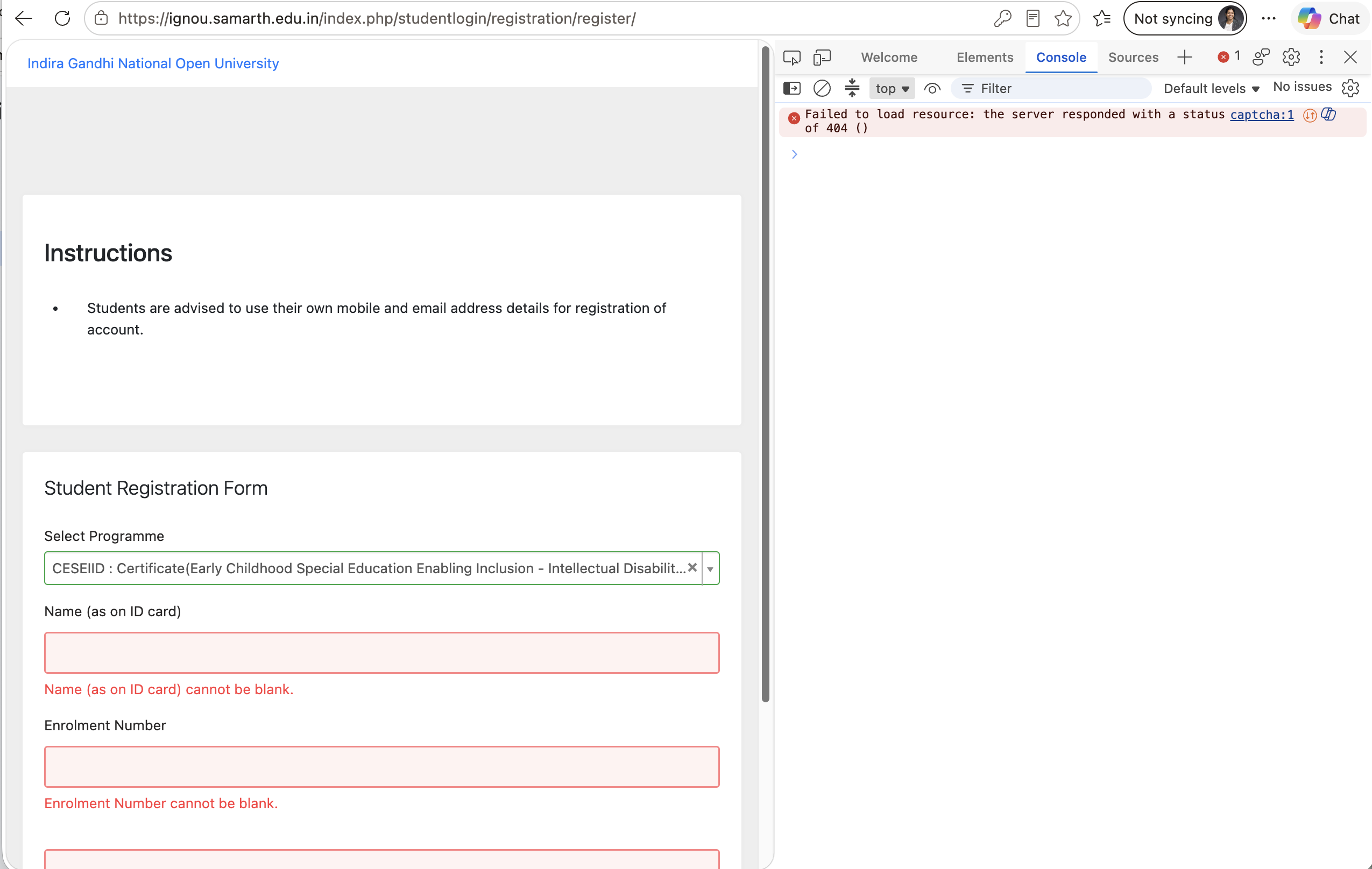
Captcha is not loading when I try to login for the first time using my enrollment number and do new registration
Sign Up to our social questions and Answers Engine to ask questions, answer people’s questions, and connect with other people.
Login to our social questions & Answers Engine to ask questions answer people’s questions & connect with other people.
Lost your password? Please enter your email address. You will receive a link and will create a new password via email.
Please briefly explain why you feel this question should be reported.
Please briefly explain why you feel this answer should be reported.
Please briefly explain why you feel this user should be reported.

Captcha is not loading when I try to login for the first time using my enrollment number and do new registration
If the CAPTCHA is not loading while creating your IGNOU Samarth account for the first time, please refresh the page and try again. You can also try using an updated Chrome or Edge browser, clear your browser cache, or open the registration page in Incognito/Private mode.
Make sure JavaScript is enabled and that any browser extension, ad blocker, or VPN that may be interfering with the CAPTCHA is temporarily disabled.
Once the CAPTCHA appears, enter the CAPTCHA exactly as shown, including the correct letters and numbers, and then submit the registration form. Do not enter a guessed or previous CAPTCHA because the CAPTCHA changes when the page is refreshed.
If it still does not load, wait for some time and try again, as the Samarth portal may occasionally have temporary technical or server-side issues.